Democratizing Data Access with Metabase: Deployment Guide on OVH
Learn how to deploy Metabase on an OVH server using Docker to transform your data into strategic decisions with an intuitive business intelligence tool.
2 mars 2025
Published
Hugo Mufraggi
Author

Deployment Guide On OVH
TL;DR
Metabase is an open-source tool for creating dashboards and exploring data without writing SQL. In this article, we’ll see why Metabase is useful and how to quickly deploy it on an OVH server using Docker.
Introduction
I am a software engineer in a startup. I am convinced of the need to break down silos between teams (IT, Marketing, Sales, etc.) to improve engagement and impact. There are many ways to break down silos; in this article, I will present and help you deploy an open-source solution to open your data.
Metabase
Metabase is an open-source business intelligence (BI) tool that allows users to explore, analyze, and visualize data intuitively without writing SQL. It was launched in 2014 and initially developed by Metabase Inc, which bootstrapped it before raising funds to accelerate its growth.
The main goal of Metabase is to make data analysis accessible to non-technical teams through a simple and interactive interface. It allows connections to various databases.
What Metabase allows you to do
- Data exploration without SQL: Ideal for non-technical teams who want to query a database using a “point & click” interface.
- Interactive dashboard creation: Easily visualize KPIs and data trends.
- Report sharing and automation: Automatically send reports via email or Slack.
- Security and access management: Define roles and permissions to protect sensitive data.
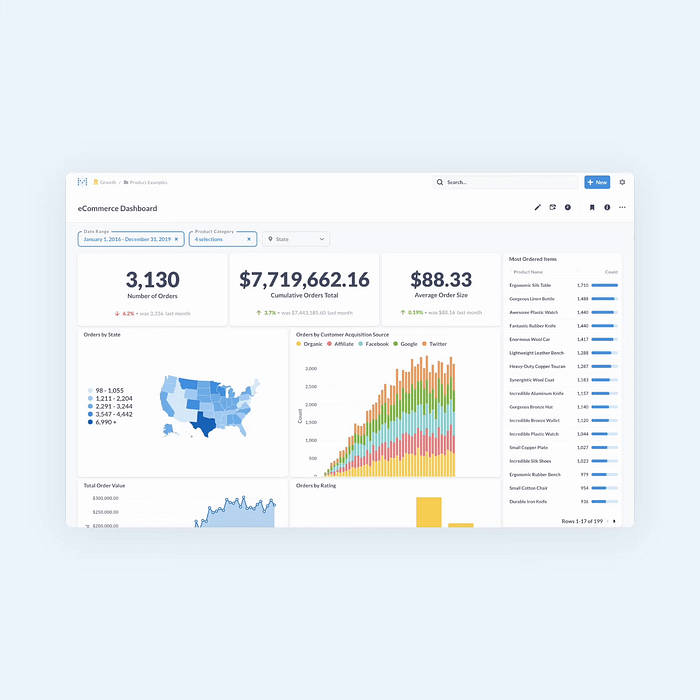
Metabase offers various deployment options. If you have any skills in DevOps/deployment, Metabase provides a managed solution. For this guide, we will deploy using Docker on a VPS instance.
Deployment
I plan to deploy and self-host it. It is effortless to set up a VPS. I’ll choose the cheapest VM from OVH. It is perfect for testing and development. The impact depends on the number of simultaneous users.
To run Metabase, I use Docker and Docker Compose, and Traefik for the reverse proxy. Traefik will manage all the encryption, including HTTPS.

The Docker Compose file is straightforward:
version: '3.7'

services:
  traefik:
    image: traefik:v2.3
    ports:
      - "80:80"
      - "443:443"
    volumes:
      - /var/run/docker.sock:/var/run/docker.sock
      - ./letsencrypt:/letsencrypt
      - ./traefik.toml:/etc/traefik/traefik.toml
    depends_on:
      - metabase

  metabase:
    image: metabase/metabase:latest
    restart: always
    environment:
      MB_DB_TYPE: postgres
      MB_DB_DBNAME: metabase
      MB_DB_PORT: 5432
      MB_DB_USER: your_db_user
      MB_DB_PASS: your_db_password
      MB_DB_HOST: your_db_host
    labels:
      - "traefik.enable=true"
      - "traefik.http.routers.metabase.rule=Host(`your.domain.com`)"
      - "traefik.http.routers.metabase.entrypoints=websecure"
      - "traefik.http.services.metabase.loadbalancer.server.port=3000"
Traefik.toml
################################################################
# API and dashboard configuration
################################################################
[api]
  dashboard = true
  insecure = false

################################################################
# Docker configuration backend
################################################################
[providers.docker]
  exposedByDefault = false

################################################################
# Traefik Logging
################################################################
[log]
  level = "INFO"

################################################################
# Entrypoints
################################################################
[entryPoints]
  [entryPoints.web]
    address = ":80"
      [entryPoints.web.http.redirections.entryPoint]
        to = "websecure"
        scheme = "https"
        permanent = true
  [entryPoints.websecure]
    address = ":443"

################################################################
# Challenge HTTP
################################################################
[certificatesResolvers.myresolver.acme]
  email = "mufmuf@gmail.com"
  storage = "/letsencrypt/acme.json"
  [certificatesResolvers.myresolver.acme.httpChallenge]
    entryPoint = "web"

################################################################
# Middlewares
################################################################
[http.middlewares]
  [http.middlewares.clean-url]
    [http.middlewares.clean-url.replacePathRegex]
      regex = "^/+(?:\\.+\\/)*"
      replacement = "/"
Now, let’s take a VM from the provider of your choice. I’ll use OVH. Connect via SSH and copy and paste the Docker Compose and Traefik.toml files; just change this line in the Docker Compose file:
- “traefik.http.routers.metabase.rule=Host
your.domain.com)”.
And that’s it! Congratulations, your Metabase is deployed.
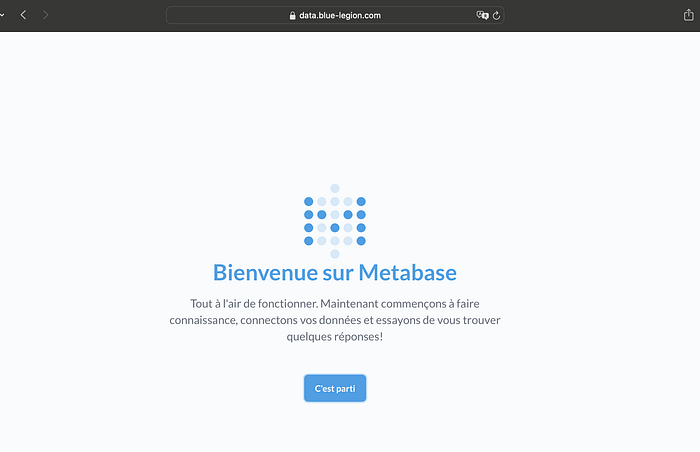
Explore your data
You can easily connect your database through the Metabase interface. But don’t worry if you don’t have a database and want to try the tool; you can. Metabase provides some sample data. You can click on Samples and find a dashboard for sample e-commerce insights.
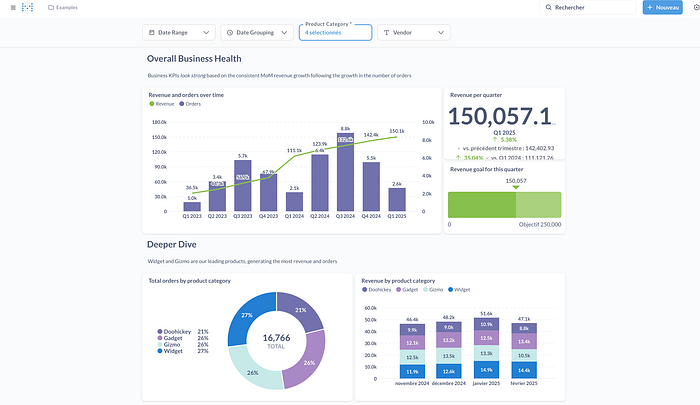
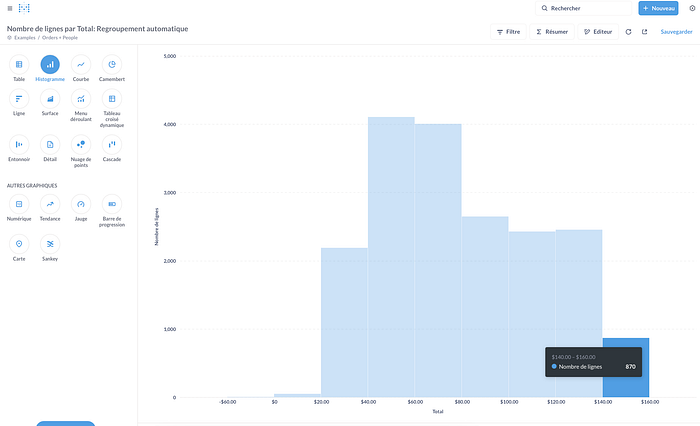
And you can start to play with the data when you click on Models. It is the place to play with the data to create your data visualizations. Metabase provides a wide range of data visualization possibilities. If you know SQL, you can perform joins between your tables and aggregate your data to exploit it fully.
Conclusion
Metabase is an ideal solution for making data accessible to everyone, even those without technical expertise. Its intuitive interface and advanced features enable teams to collaborate better and fully harness their analytical potential. Hosting it on an OVH server with Docker and Traefik ensures a reliable, flexible, and cost-effective setup. Whether you’re looking to democratize data access or structure your analyses, Metabase is an excellent choice for turning information into strategic decisions.
If you found this article helpful, feel free to share it or leave a comment to discuss your experience with Metabase!